
How It Works
Go from scattered supplier quotes to a clear comparison in three steps.
Upload Your Quotes
Drag and drop your supplier quote documents. Supports PDF, Excel, Word, and image formats.
AI Extracts the Data
Our AI reads each document, extracting pricing, quantities, delivery terms, and supplier details automatically.
Get Your Comparison
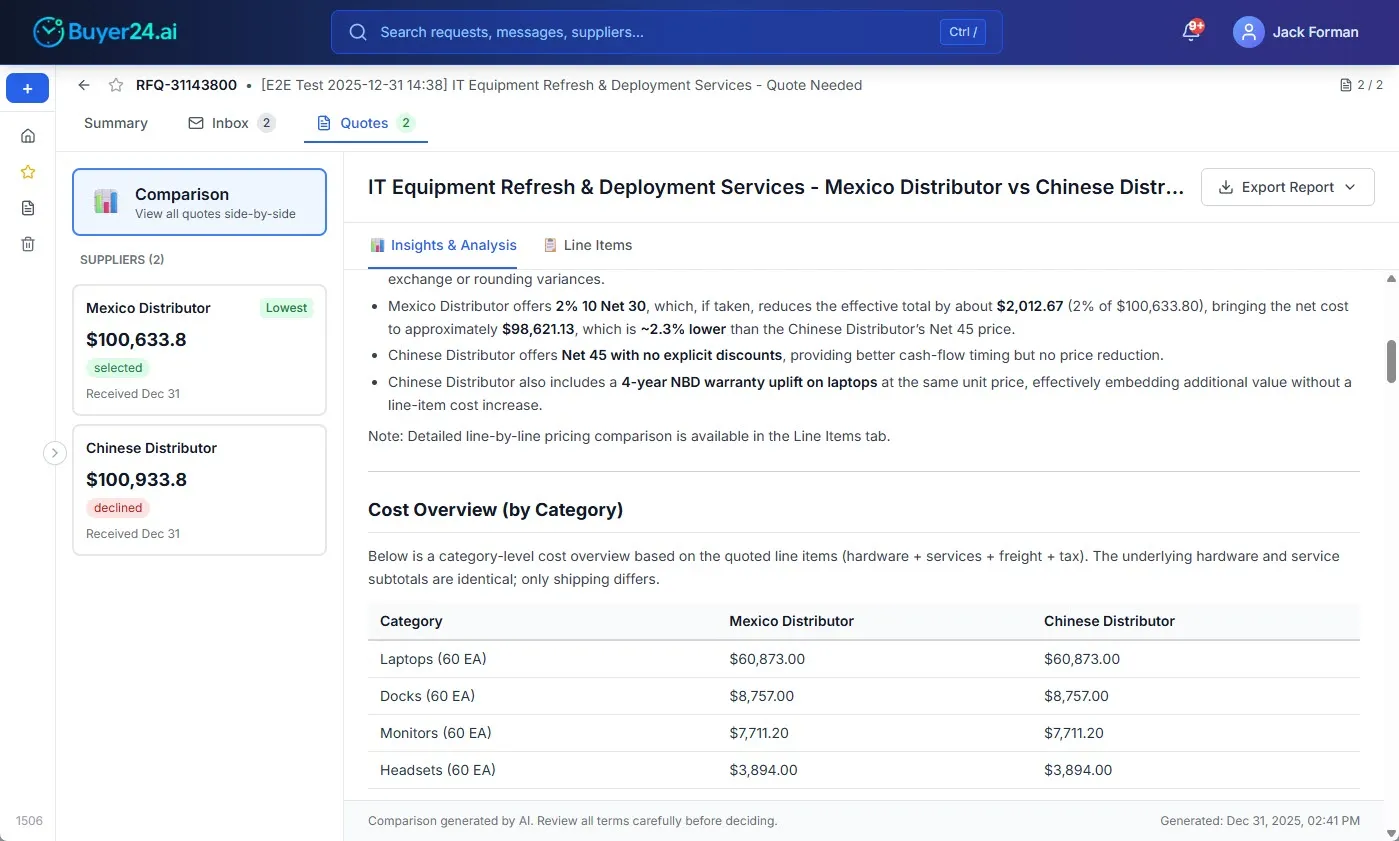
Receive a side-by-side comparison with AI-generated insights, cost breakdowns, and recommendations.
What You Get
Everything you need to make informed procurement decisions, without the manual work.
Side-by-Side Comparison
See all supplier quotes in a single normalized view with pricing, terms, and conditions compared directly.
AI Insights & Recommendations
Get intelligent analysis of trade-offs between suppliers, highlighting the best options for your needs.
Export to PDF or Excel
Download your comparison report to share with stakeholders or archive for compliance.
Secure & Private
Your documents are processed securely and not shared. Sessions expire automatically after 7 days.
Learn More About Quote Comparison
Frequently Asked Questions
What file formats are supported?
You can upload PDF, Excel (.xlsx, .xls), Word (.docx), and image files (JPG, PNG). The AI extracts structured data from any of these formats.
Is my data secure?
Yes. All documents are transmitted over HTTPS and processed securely. Your data is not shared with other users. Guest sessions expire after 7 days and data is automatically deleted.
How many quotes can I compare?
You can upload up to 3 quote documents per session. The comparison works best with 2-3 quotes from different suppliers for the same products or services.
Do I need to create an account?
No. Upload your quotes and read the full comparison without any signup. You only need to give an email — any email, work or personal — when you want to save the comparison to a workspace or download it as PDF or Excel.
Can I export the comparison?
Yes. After generating your comparison, you can export it as a PDF report or Excel spreadsheet. Email verification is required for downloads to ensure security.
How accurate is the AI extraction?
The AI is highly accurate for standard quote formats and extracts pricing, quantities, delivery terms, payment conditions, and supplier details. For unusual layouts, you can review and verify the extracted data before generating the comparison.