
ai procurement layer Series — Part 5 of 6
- 1The AI Layer Your Procurement Stack Is Missing
- 25 Risks of AI in Procurement (And How to Eliminate Each One)
- 3How AI Finally Solves the Tail Spend Problem
- 4Buyer24 Alongside SAP Ariba, Coupa, and Oracle
- 5From Request to Award: How AI Automates the Pre-Procurement Workflow
- 6How to Introduce AI to Your Procurement Team Without the Guesswork
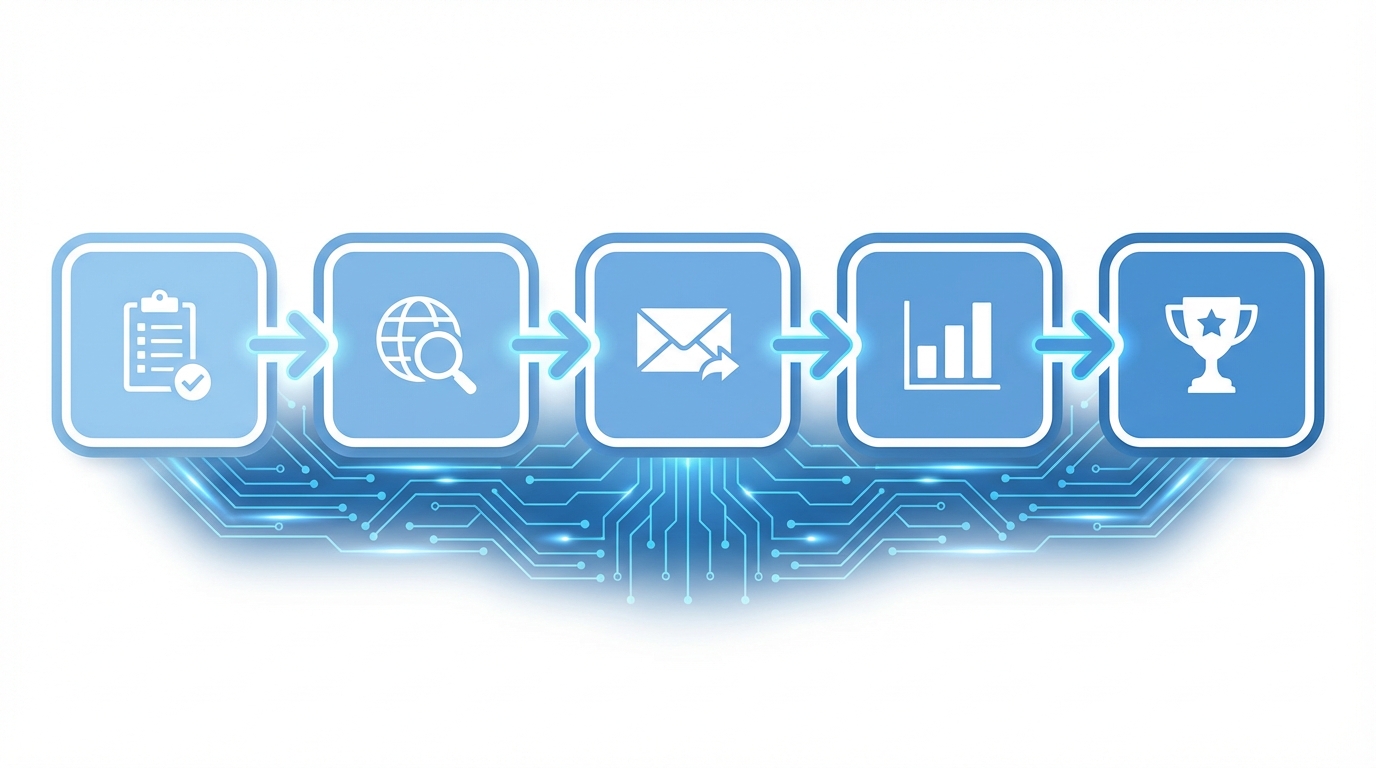
Buyers spend most of their time on the work before the purchase order: understanding what's needed, finding who can supply it, getting prices, comparing options, and negotiating terms. This stage is one part of our complete guide to AI in procurement, which maps the full lifecycle.
This pre-procurement workflow is the most labor-intensive, least standardized, and most impactful part of the procurement process, as an overview of what a procurement workflow is shows. It is also the part AI is particularly well suited to improve. Our end-to-end guide to RFQ automation shows where each of these steps fits, and the quote-heavy stages here, collection through award, are covered in depth in our guide to managing supplier quotes.
This guide covers how Buyer24 handles each phase, step by step.
Step 1: Intake and Requirement Clarification
The Problem
Most procurement requests arrive incomplete. A stakeholder sends an email: "We need new packaging for the Q3 product launch." The buyer now has to extract the actual requirements through a series of follow-up exchanges:
- What type of packaging? Rigid? Flexible? Corrugated?
- What dimensions? What weight capacity?
- What quantities? Initial run and annual volume?
- What materials? Are there sustainability requirements?
- What's the timeline? When are samples needed vs. production?
- What's the budget range?
- Are there brand guidelines or artwork to follow?
This back-and-forth typically takes 3–5 email exchanges over several days. Each round-trip delays the sourcing process and fragments the requirements across multiple messages.
How AI Handles It
Buyer24 provides a structured intake interface where stakeholders describe their needs conversationally. The AI recognizes what information is missing and asks targeted follow-up questions in real time:
Stakeholder: "We need new packaging for the Q3 product launch."
Buyer24: "I can help with that. To get you competitive quotes, I need a few details:
- What type of product is this packaging for? (dimensions, weight)
- What packaging format are you considering? (boxes, pouches, blister packs)
- What's your estimated quantity for the initial run?
- When do you need samples by?"
The stakeholder answers in one session. Within minutes, Buyer24 has a structured requirement document that would have taken days to assemble over email.
What the Buyer Sees
The buyer receives a structured request card with:
- Categorized requirement (Packaging > Rigid > Custom printed)
- Complete specifications
- Budget range and timeline
- Stakeholder contact information
- Priority and urgency indicators
The request is ready to source without further follow-up emails.
Step 2: Supplier Identification
The Problem
Finding the right suppliers for a specific need involves:
- Checking internal records. Do we already work with anyone who does this? (Often hard to answer if your supplier database isn't tagged by detailed capability.)
- Web research. Searching Google, industry directories, and trade associations is time-consuming and inconsistent.
- Asking around. Messages to colleagues, LinkedIn posts, and notes to industry contacts asking "Does anyone know a good packaging supplier?"
- Evaluating fit. Even when you find a supplier's website, determining whether they can actually meet your specific requirements requires careful reading and often a phone call.
For a buyer managing multiple requests, this research phase takes hours. The results also depend heavily on individual knowledge, so one buyer's Google skills and industry network produce a very different supplier list than another's.
How AI Handles It
Buyer24 approaches supplier identification in layers:
Layer 1: Your existing suppliers. AI searches your historical procurement data for suppliers tagged with relevant commodity codes, past purchase categories, or similar previous work. These are prioritized because they're already qualified and onboarded.
Layer 2: New supplier research. When existing suppliers don't fully cover the requirement, AI identifies additional candidates based on the structured requirements from intake.
Layer 3: Buyer review. The combined list is presented to the buyer with relevant details for each supplier. The buyer selects which suppliers to include in the RFQ, removes any that are inappropriate, and adds any they know of that the AI missed.
What the Buyer Decides
The buyer's role shifts from researching suppliers to curating a pre-researched list. This is faster and produces better results because:
- Existing suppliers aren't overlooked (a common problem when buyers don't search their own databases thoroughly)
- New suppliers are identified that the buyer might not have found manually
- The buyer applies judgment and relationship knowledge that AI can't replicate
Step 3: RFQ Distribution and Follow-Up
The Problem
Sending RFQs takes longer than it appears. For each supplier on the list, the buyer needs to:
- Draft an email that clearly communicates the requirement
- Attach relevant specifications, drawings, or reference documents
- Customize the message slightly based on the supplier's known capabilities or past interactions
- Include a clear response deadline and format expectations
- Send individually (mass CC/BCC is unprofessional for sourcing)
- Log which suppliers were contacted and when
- Follow up with non-respondents after a reasonable period
- Handle supplier questions and route them to the appropriate stakeholder
For 5 suppliers, this can take 1–2 hours of drafting and another 30–60 minutes of follow-up over the following week.
How AI Handles It
Buyer24 automates the mechanical parts while keeping the buyer in control of the communication:
Drafting: AI generates RFQ emails for each supplier using the structured requirements from intake. Each email includes:
- Clear scope description based on the intake data
- Specific questions tailored to the requirement (pricing structure, lead times, minimum quantities)
- Response deadline
- Attached specifications or reference documents
Personalization: If Buyer24 has context about a supplier from previous interactions, the email is subtly personalized. A supplier you've worked with before gets a different opening line than one you're contacting for the first time.
Buyer review: All draft emails are presented to the buyer for review before sending. The buyer can edit, approve, or reject any individual email. Nothing goes out without explicit approval.
Tracking: Once sent, Buyer24 tracks:
- Delivery confirmation
- Opens (when supported)
- Responses received
- Supplier questions (routed to the buyer with suggested answers)
Follow-up: If a supplier hasn't responded by a configurable threshold (typically 3 business days before the deadline), Buyer24 drafts a polite follow-up reminder for the buyer to review and approve.
What the Buyer Does
The buyer reviews and approves 5 pre-drafted emails (2 minutes) instead of writing 5 from scratch (60+ minutes), and handles supplier questions as they come in. Everything else is automated.
Step 4: Quote Extraction and Normalization
The Problem
This step wastes more time than any other in the procurement cycle.
Suppliers respond to RFQs in whatever format suits them:
- Supplier A sends a formal PDF quotation with line items, terms, and conditions on letterhead
- Supplier B replies in the email body with bullet-point pricing
- Supplier C attaches an Excel spreadsheet with their standard pricing template
- Supplier D sends a PDF proposal with pricing embedded in paragraphs of capability description
- Supplier E provides a one-page quote with total price only, no line-item breakdown
The buyer now has to:
- Open each response
- Find the relevant pricing data (sometimes buried deep in a document)
- Manually enter it into a comparison spreadsheet
- Normalize units, quantities, currencies, and delivery terms
- Handle discrepancies (one supplier quotes per-unit, another quotes per-box of 100)
- Figure out what's included vs. extra (tooling, shipping, samples)
This process takes 30–90 minutes per request and is highly error-prone. A misread decimal, a missed tooling charge, or a unit conversion error can lead to awarding to the wrong supplier.
How AI Handles It
Buyer24's quote extraction engine processes every response format:
PDF quotes: AI reads the document structure, identifies pricing tables, and extracts line items with prices, quantities, and terms.
Email responses: AI parses the email body, identifies pricing information even when it's in conversational text, and structures it into comparable fields.
Spreadsheets: AI reads the workbook, identifies the pricing sheet (even if it's not the first tab), and maps columns to standard fields.
Mixed formats: Some suppliers respond with a combination, such as a PDF attachment plus additional terms in the email body. AI combines both into a single structured record.
Normalization
After extraction, AI normalizes the data so comparisons are apples-to-apples:
| Field | Supplier A | Supplier B | Supplier C |
|---|---|---|---|
| Unit price | $4.20/unit | $420/box (100 units) → $4.20/unit | $0.042/piece → $4.20/unit |
| Lead time | 4 weeks | 20 business days → 4 weeks | 30 calendar days → ~4.3 weeks |
| MOQ | 1,000 units | 10 boxes → 1,000 units | 1,000 pieces → 1,000 units |
| Tooling | $2,500 (one-time) | Included in unit price | $0 (use existing tools) |
| Shipping | FOB origin | Delivered (included) | FOB origin |
The buyer sees a clean comparison table with consistent units and clearly flagged differences (like Supplier B including shipping while A and C don't).
What the Buyer Validates
The buyer reviews the extracted comparison and spot-checks a few key values against the original documents. This takes 5 minutes instead of the 45 minutes it would take to build the comparison from scratch. Because the AI extraction is consistent and does not get tired or careless on the fifth quote, the data quality is often higher than manual entry.
Step 5: Comparison and Analysis
The Problem
Even after data is in a spreadsheet, comparison isn't straightforward. Price is rarely the only factor. Buyers need to weigh:
- Total cost of ownership. Unit price + tooling + shipping + payment terms + defect risk.
- Delivery reliability. Quoted lead time vs. the supplier's historical delivery performance.
- Quality indicators. Certifications, past experience with similar work, sample quality.
- Commercial terms. Payment terms (net 30 vs. net 60 changes your effective cost), warranty, liability.
- Relationship factors. Existing supplier vs. new supplier, strategic vs. transactional, local vs. overseas.
Most spreadsheet comparisons reduce this to "lowest price wins" because weighting and scoring multiple factors manually is too time-consuming for routine purchases.
How AI Handles It
Buyer24 presents the comparison with multiple analysis layers:
Price comparison: Side-by-side pricing with totals that account for tooling, shipping, and other one-time costs, showing both per-unit and total project cost.
Outlier flagging: If one supplier's price is significantly higher or lower than the cluster, it's flagged. An unusually low price might indicate a misunderstanding of scope. An unusually high price might indicate the supplier isn't a good fit for this type of work.
Terms summary: Key commercial differences are highlighted (for example, "Supplier A requires 50% upfront; B and C are net 30"), so the buyer can factor these into the decision without reading every supplier's T&Cs word by word.
Completeness check: If a supplier didn't address a specific requirement (missed a line item, didn't quote a requested service), the gap is flagged so the buyer can follow up before making a decision.
What the Buyer Decides
The buyer reviews a structured analysis and makes the award decision. The AI gives the buyer complete, comparable information for that call but does not pick the winner. The decision factors in relationship knowledge, strategic considerations, and risk tolerance that only a human can properly weigh.
Step 6: Negotiation Support
The Problem
After initial quotes come in, there's often a negotiation phase. The buyer may want a better price from the top candidate or sharper offers from two finalists, or the stakeholder's requirements may have shifted so pricing needs to be adjusted.
This negotiation happens entirely over email. It is unstructured, hard to track, and dependent on the buyer's negotiation skills and available time. For tail-spend purchases, negotiation often does not happen at all. The first price is accepted because negotiating a $15K purchase isn't worth the buyer's time.
How AI Handles It
Buyer24 provides negotiation support at three levels:
Level 1: Data preparation. Before any negotiation, Buyer24 surfaces relevant context: how this supplier's pricing compares to others, what pricing looked like on similar past purchases, and where the biggest cost reduction opportunities exist (unit price vs. tooling vs. shipping).
Level 2: Counter-offer drafting. Based on the range of quotes received, Buyer24 drafts counter-offer emails. If three of five suppliers quoted between $4.00 and $4.40 and one quoted $5.20, the counter-offer to that outlier cites market competitiveness without revealing specific competitor pricing.
Level 3: Scenario modeling. "What if we increase volume from 5,000 to 10,000 units? What price break should we request?" Buyer24 suggests volume discount targets based on the quote patterns received.
What the Buyer Controls
Every counter-offer email is reviewed and approved by the buyer before sending. The AI provides the analysis and the draft; the buyer decides the strategy, tone, and relationship approach. Aggressive negotiation with a strategic long-term supplier requires a different approach than optimizing price with a commodity vendor, and that judgment stays with the buyer.
Step 7: Award and Handoff
The Problem
After a supplier is selected, the administrative work isn't done:
- Award notification to the winning supplier
- Polite decline notices to the others (burning bridges with suppliers you might need later is bad practice)
- Collecting onboarding documents if the supplier is new (W-9, insurance certificate, banking information, signed terms)
- Entering the award data into the procurement platform (supplier, pricing, terms, delivery schedule)
- Filing the documentation (quotes received, comparison, decision rationale)
This wrap-up work takes 1–2 hours and is often the last thing a buyer wants to do after spending a week on sourcing. When it is delayed, the PO and the delivery are delayed too, and the stakeholder gets frustrated.
How AI Handles It
Award notification: Buyer24 drafts a confirmation email to the winning supplier with key terms (pricing, quantities, delivery schedule) for the buyer to review and send.
Decline notices: Polite, professional decline emails are drafted for non-selected suppliers. These maintain the relationship and thank the supplier for their time, which makes them more likely to respond to your next RFQ.
Onboarding chase: For new suppliers, Buyer24 sends onboarding document requests and tracks what's been received. Reminders go out automatically for missing items. The buyer is notified when the package is complete.
Documentation: The entire sourcing history (request, supplier list, RFQs sent, quotes received, comparison, decision rationale, and award) is packaged and available for audit, so nobody has to search email archives.
Platform handoff: Structured award data (supplier name, contact, pricing, terms) is formatted for easy entry into your procurement platform, where the work passes into the procure-to-pay (P2P) cycle.
Workflow Summary
The table splits each step between the AI and the buyer. The time figures are illustrative, based on typical Buyer24 customer workflows, and will vary with your categories, request complexity, and supplier mix:
| Step | AI Does | Buyer Does | Time Saved |
|---|---|---|---|
| Intake | Asks clarifying questions, structures requirements | Reviews completed request | 1-2 days of email back-and-forth |
| Supplier ID | Researches and compiles candidate list | Curates and approves the list | 1-2 hours of manual research |
| RFQ distribution | Drafts emails, tracks responses, follows up | Reviews and approves emails | 1-2 hours of email drafting |
| Quote extraction | Reads all formats, extracts and normalizes data | Spot-checks key values | 30-90 min of spreadsheet work |
| Comparison | Builds analysis with flagged outliers and gaps | Makes the decision | 30-60 min of analysis |
| Negotiation | Prepares data, drafts counter-offers | Approves strategy and messaging | 30-60 min of preparation |
| Award | Drafts notifications, chases onboarding docs | Confirms award, enters into ERP | 1-2 hours of admin work |
Total buyer time without AI (illustrative): 8-15 hours per request, spread over 2-4 weeks
Total buyer time with AI: 1-2 hours per request, completed in 1-2 weeks
The buyer's role moves from administrative work to decision-making. Every step still has human oversight and approval, while AI handles the hours of preparation, formatting, and follow-up, including automating purchase order creation at handoff.
FAQ
What is the pre-procurement workflow?
The pre-procurement workflow is everything that happens between "we need something" and the purchase order: understanding what's needed, finding who can supply it, getting prices, comparing options, and negotiating terms. It's the most labor-intensive, least standardized part of procurement, and it is where buyers spend most of their time.
How does AI automate the RFQ process?
AI drafts RFQ emails for each supplier from the structured intake requirements, personalizes them based on past interactions, and presents them to the buyer for review and approval before sending. Once sent, it tracks delivery, opens, responses, and supplier questions, and drafts polite follow-up reminders for non-respondents. This turns an hour of drafting into a couple of minutes of review.
How does AI extract and compare supplier quotes?
AI reads every response format (PDF quotes, email-body pricing, spreadsheets, and mixed formats) and extracts line items, prices, quantities, and terms. It then normalizes the data so comparisons are apples-to-apples, converting units, quantities, lead times, and MOQs into consistent fields and flagging differences like one supplier including shipping. The buyer spot-checks key values instead of building the comparison from scratch.
Does AI make the supplier award decision?
No. AI prepares complete, comparable information (price comparisons, outlier flags, terms summaries, and completeness checks), but the buyer makes the award decision. Relationship knowledge, strategic considerations, and risk tolerance are factors only a human can properly weigh, and every step keeps human oversight and approval.
How much time does AI save in the pre-procurement workflow?
In the illustrative workflow described here, total buyer time drops from 8-15 hours per request spread over 2-4 weeks without AI, to 1-2 hours per request completed in 1-2 weeks with AI. The savings span intake, supplier identification, RFQ distribution, quote extraction, comparison, negotiation prep, and award admin.
Can AI help with supplier negotiation?
Yes, at three levels: data preparation that surfaces how a supplier's pricing compares and where the biggest cost-reduction opportunities are, counter-offer drafting based on the range of quotes received, and scenario modeling for volume discount targets. Every counter-offer is reviewed and approved by the buyer, who controls the strategy, tone, and relationship approach.
This is the fifth post in our series on AI in procurement. Previously: Buyer24 Alongside SAP Ariba, Coupa, and Oracle. Next: How to Introduce AI to Your Procurement Team Without the Guesswork, a practical guide to rolling out AI procurement in your organization.
Want to see this workflow in action with your own requests? Request a demo and we'll walk through a real sourcing scenario end to end.